Blog
10 Best Branching Narrative Tools for 2026
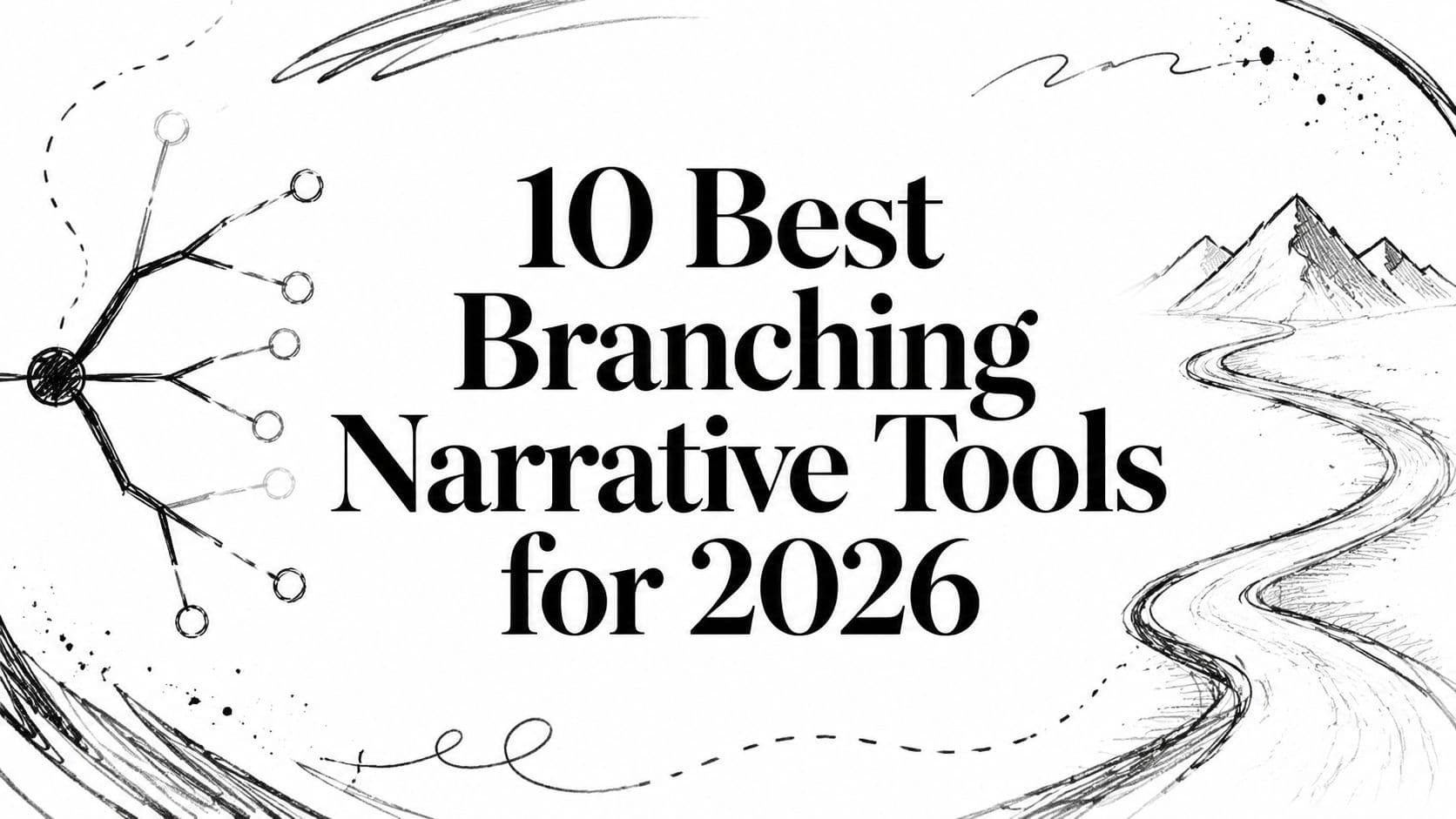
You have a story in your head. A web of choices, characters, and consequences. But getting it out and making it work is the hard part. A good branching narrative tool is more than software. It's a creative partner. It helps you see the shape of the story before the story collapses under its own branches.
Most writers hit the same wall. The draft is exciting in your notes, then turns into a mess once choices start multiplying. One path breaks continuity. Another never pays off. A third is fun but pulls the whole plot away from the spine. You don't need more ideas at that point. You need a tool that matches the kind of project you're making.
That's the fundamental difference between these tools. Some are great for fast drafting. Some are built for production pipelines. Some are dialogue systems wearing a writer-friendly mask. Some are AI collaborators. They solve different problems, and if you pick the wrong one, you'll feel it fast.
A useful rule from branching design is the critical path. That's the backbone every player needs to see, with side branches returning to it so the story stays coherent, as explained in this breakdown of critical path structure in branching narration. If your tool makes that structure hard to manage, it's the wrong tool.
1. Dunia
You have a cast with history, grudges, and chemistry. Two hours into drafting, the rival stops sounding like herself, the love interest forgets what happened yesterday, and the whole branch starts reading like disconnected improv. That is the problem Dunia is built to address.
I would put it in the AI co-writing bucket, not the flowchart bucket. The core idea is simple. You define the world, the cast, and the pressure on the story first, then write and test scenes inside that framework. That makes it a better fit for writers who care more about voice consistency and relationship memory than diagramming every node by hand.
That distinction matters. Some tools are great for proving a branch structure works. Others are better at helping you draft scenes that still feel authored once the story gets long. Dunia sits in the second group. If your goal is a playable draft with recurring characters who remember what they want, that is a real advantage.
Where it fits
The strongest use case is character-heavy work. Romance, rivalry, party banter, faction politics, recurring NPC tension. Stories like that fall apart fast when the tool treats each scene as a fresh prompt instead of part of a continuing relationship.
It also makes sense for writers who want AI help without giving up the world bible. You can start from a rough premise, generate some scaffolding, then keep tightening the setting and cast until the output stops drifting. For anyone still figuring out branch structure at the same time, this guide to choose your own adventure writing is a useful companion.
Practical rule: Pick this kind of tool when your main risk is character drift, not plotting from zero.
Trade-offs
There is a clear cost to this approach. A character-first workflow gives you stronger scene continuity, but it is less immediate than opening a blank canvas and throwing down passages. Writers who want a pure node editor or a fast text-first prototype may find it heavier than they need.
Pricing is the other consideration. It is easy to start experimenting, but long sessions and serious use push you toward the paid side. That is a fair trade if AI-assisted drafting is part of your process. It is not a great trade if you only need a bare-bones branching map.
Best fit
- AI co-writing with constraints: You want generated prose, but you still want to define the rules of the world.
- Character-led interactive fiction: The appeal is in voice, relationships, and callbacks, not only branch logic.
- Playable drafting: You want to test scenes from inside the story instead of only inspecting a chart.
If your creative goal is co-writing a story world and stress-testing character behavior inside it, Dunia makes sense. If your goal is fast branch mapping, I would reach for something else. That is the pattern across this whole list. The right tool depends on what you are trying to protect: structure, production workflow, or the illusion that these characters are alive.
2. Twine

Twine is still the fastest answer to “I need to get this choice-based story out of my head tonight.” It's free, open source, and brutally good at helping you prototype before you overthink the architecture. If you've never used a branching narrative tool before, this is usually where I'd tell you to begin.
Its biggest strength is that it doesn't force you to choose your final workflow on day one. You can stay simple with links and passages, or you can dig into variables, macros, CSS, JavaScript, and more advanced story formats once the project grows teeth. That range is why Twine survives so many trends. It's a beginner tool that doesn't become useless once you get better.
Where Twine shines
Twine is great at roughing out structure. You can sketch flow, test forks, and publish to a self-contained HTML file without dealing with engine setup. For classrooms, workshops, personal experiments, and weird narrative prototypes, that convenience is hard to beat.
If you're writing choice-based fiction and want help thinking through branch design before you commit to a bigger pipeline, this guide to choose your own adventure writing pairs well with a Twine-first workflow.
- Fast drafts: Great for proving the story works before you build systems around it.
- Low technical friction: You can start with almost no code.
- Portable output: HTML export makes sharing easy.
The downside shows up when the project gets large. Twine can become spaghetti if you don't impose naming rules, folder discipline, and branch conventions early. It lets you move fast. It doesn't stop you from making a mess.
Twine is the sketchbook. If you try to turn the sketchbook into a full studio pipeline, you'll need discipline.
3. ink by inkle

ink is what I'd recommend when you know the project is real, stateful, and headed toward a game. It's a scripting language, not a toy, but it stays readable enough that writers can work in it without feeling like they've been trapped in programmer jail.
The core appeal is separation. Narrative logic lives in plain text. Presentation lives somewhere else. That sounds dry until you've worked on a project where UI changes every week and your story files stay stable because they aren't tangled up with the interface.
Why dev teams love it
ink scales. Variables, flow control, knots, stitches, conditions, reroutes. It gives you enough structure to support serious branching without forcing a giant visual graph onto the page. For some writers, that's a relief. Visual maps look helpful right up until they become unreadable.
That text-first approach also makes it a natural fit for game writers thinking about pacing, responsiveness, and interactive prose rather than node cosmetics. If you want a broader craft angle on that side of the work, these notes on interactive storytelling techniques make a good companion.
There's also a recent practitioner write-up worth paying attention to. In a 2026 Unity guest post about nonlinear RPG writing, Christoffer Bodegård describes ink as the core tool behind a highly branching dialogue-heavy workflow and explains why its speed and Unity integration made large-scale interactive writing manageable in Unity's article on nonlinear RPG design.
The trade-off
- Best for games: Especially when engineers need clean integration points.
- Strong separation of concerns: Writers work in story logic, devs handle presentation.
- Open source: No licensing wall just to start building.
What doesn't work is handing ink to someone who hates even light scripting. It's not hard, but it does ask you to think structurally. You also need to build or integrate your own front end, save logic, and UI. That's freedom, but it's work.
4. Yarn Spinner
Yarn Spinner sits in a nice middle ground between writer-friendly dialogue authoring and actual game integration. If your project is dialogue-heavy and living inside Unity, this one makes immediate sense.
It feels less like a pure interactive fiction tool and more like a dialogue production tool. That difference matters. Yarn Spinner is excellent when conversations need to drive game actions, set variables, trigger events, and support localization without forcing writers to live deep inside engine code.
Best use case
I like Yarn Spinner for games where dialogue is one system among many. NPC conversations, quest handoffs, conditional barks, relationship checks. It's built for that lane. You can feel it in the engine bindings and workflow choices.
- Unity-first teams: It is strongest here.
- Writers who want scripts, not giant graph boards: The writing flow stays pretty clean.
- Localization-minded projects: It takes that side of production seriously.
The weak point is obvious too. Outside Unity, the experience is less mature. You can still use it with other engines, but you won't get the same level of comfort. If you're making pure web fiction or prose-first IF, there are easier options.
5. Ren'Py

Ren'Py is the old workhorse for visual novels, and it's still one of the smartest picks if your story wants portraits, scenes, music cues, transitions, and platform packaging without a giant budget.
A lot of people treat Ren'Py as “just for dating sims.” That undersells it. It's for any project where branching scenes, character presentation, and text delivery are central. If your story lives through scene direction as much as through branching logic, Ren'Py gives you a lot fast.
What it gets right
Ren'Py has a practical rhythm. You write scenes, define choices, use variables, and if you need more power, Python is right there. That means it starts approachable and then keeps scaling as your confidence grows.
It also earns points for maturity. You're not betting on a fragile hobby project. You're using a tool with a long history, broad community support, and a mountain of tutorials made by people who've already run into your exact problem.
For visual novels, the best tool usually isn't the most flexible one. It's the one that gets scenes on screen fast and stays stable.
Where it struggles is outside its home genre. You can bend Ren'Py into other things, but the defaults are deeply VN-shaped. If your design fights those assumptions, expect extra work.
6. Inklewriter
Inklewriter is what I hand to someone who wants branching fiction without a setup phase. Open the browser, write, link choices, test, repeat. That simplicity is the point.
This one is good for workshops, classroom exercises, short-form experiments, and first drafts of larger interactive stories. You can feel the design philosophy immediately. It wants you writing choices, not configuring a production stack.
Why it's still useful
Inklewriter works because it reduces fear. A lot of beginners freeze when a tool asks them to think about runtime architecture, engine hooks, or custom formats. Inklewriter avoids that. It's direct.
- No install: Good for fast sessions and teaching.
- Easy playtesting: You can check flow as you go.
- Good stepping stone: It helps people graduate into more advanced narrative tools later.
The limitation is scale. Once your project needs heavier systems, deep variables, or engine integration, you'll start feeling the ceiling. That's fine. Not every tool needs to be your forever tool. Some tools exist to get the first version alive.
7. ChoiceScript

ChoiceScript is built for stat-driven interactive novels, and it knows exactly what it is. That's one reason it works. It doesn't pretend to be a universal narrative sandbox. It's focused on long-form choice fiction where variables, checks, and structured progression do a lot of the heavy lifting.
If you like designing around character stats, relationship values, gated options, and replayable routes, ChoiceScript feels natural fast. It rewards writers who think in systems as much as scenes.
Where it clicks
Its commercial path is part of the appeal. There's an ecosystem around publishing through Choice of Games and Hosted Games, which gives writers a clearer route than many open tools do. If your target is a text-heavy interactive novel with a mobile-friendly reading experience, that matters.
Writers interested in that format often also benefit from looking at the wider process of how to make a text based game, especially before choosing between parser-adjacent design, stat fiction, or more freeform branching.
- Great for stat-heavy fiction: Especially character builds and conditional scenes.
- Plain-text workflow: You stay close to the writing.
- Testing support: Helpful for branch-heavy projects.
The trade-off is aesthetic and structural. ChoiceScript has a recognizable house style. If you want a wildly custom front end or unusual presentation, you may feel boxed in. It's strongest when you embrace the format instead of fighting it.
8. Arcweave

You have a story map on one screen, design notes in another doc, and a programmer asking how dialogue conditions are supposed to connect to game state. Arcweave is built for that moment.
Arcweave fits projects that have moved past rough drafting and into actual production planning. The visual board is the obvious draw, but the reason to pick it is simpler. It keeps narrative nodes, entities, variables, and logic in one place, in a format other people on the team can read without a long handoff meeting.
That makes it a strong match for a specific kind of creative goal. If you are writing a first draft alone, Arcweave can feel heavier than you need. If you are prototyping a narrative game with systems attached, or co-writing with AI and need to keep characters, flags, and world details consistent, it starts making a lot more sense. We like it best in that middle zone between pure writing tool and full production database.
Where it earns the overhead
Arcweave is good at shared visibility. Writers can map scenes visually, narrative designers can attach conditions and entities, and engineers can inspect the structure early instead of discovering edge cases during implementation.
The export side matters too. A lot of branching tools are pleasant until you need to move content into a game pipeline. Arcweave is more useful than that. It treats story content like data you plan to ship, not just notes you hope someone copies over correctly.
- Best for visual planning with logic attached: Useful when story flow and state tracking need to live together.
- Good fit for cross-discipline teams: Writers, designers, and engineers can work from the same source.
- Structured export and entity handling: Better for production handoff than lighter writing-first tools.
The trade-off is setup cost. You need enough project complexity to justify naming entities properly, defining conditions, and keeping the board clean. I would not reach for Arcweave to test a single dialogue scene on a deadline. I would reach for it when the branching starts touching quest logic, world state, or reusable content across multiple scenes.
9. articy:draft X

A familiar failure point looks like this. The writing is good, the quest logic mostly works, and nobody is fully sure which version of a scene is the definitive one. That is the kind of mess articy:draft X is built to prevent.
This is the heavyweight option for teams treating narrative as production data from day one. Characters, locations, dialogue trees, conditions, item references, exports, handoff. articy is less about drafting quickly and more about keeping a large branching project legible after months of revisions and multiple people touching it.
I would not hand this to a new writer who just wants to sketch choices and see what happens. I would use it for a project where the cost of inconsistency is high, or where narrative has to survive staff changes, engine integration, and a lot of content growth.
Where the value actually is
For a large team, the value is in its data model. You are buying into templates, hierarchies, structured entities, validation, and a way to keep story content consistent across a real pipeline. That sounds dry until you have 200 scenes, recurring variables, and three departments asking for different exports.
That is the trade-off with articy. It asks writers to work with more structure up front. In return, producers and implementers get something they can trust.
Big branching projects rarely collapse because one scene is poorly written. They collapse because nobody trusts the structure enough to change it safely.
That makes articy a strong fit for narrative-heavy RPGs, quest-driven games, and studio workflows where story design has to connect cleanly to implementation. It is a weaker fit for rough drafting, fast solo experiments, or AI co-writing sessions where speed matters more than schema discipline.
If your goal is to get words on the page, choose a lighter tool. If your goal is to build a branching narrative system that a team can maintain for a long production cycle, articy starts to justify the overhead fast.
10. Dialogue System for Unity by Pixel Crushers

You hit content lock, then someone asks for quest states in save files, NPC barks that react to player choices, and dialogue triggers wired into combat or exploration. That is the moment a lightweight branching tool stops being enough.
If you are building in Unity, Dialogue System for Unity earns its place because it handles the messy production side of narrative. Conversations are only part of the package. You also get quests, variable-driven conditions, sequencer commands, barks, triggers, localization support, and save-system hooks that matter once story content starts touching the rest of the game.
That is the reason to pick it. The value is not "better writing features." The value is fewer custom glue systems for your programmers to build at the worst possible time.
I would use this when dialogue is gameplay.
A solo writer drafting branches for a choice-based short story will feel the weight immediately. A Unity team shipping an RPG, narrative adventure, or companion-heavy game will see why the tool exists. It lets writers and designers author logic that can survive implementation, instead of handing engineering a pile of text and hoping the edge cases get sorted out later.
Where it fits best
This is a strong match for projects where narrative has to fire events, check conditions, update quests, and persist state across saves. If you need NPC conversations to reflect inventory, faction standing, prior scenes, or quest progress, this tool saves real production time.
It is a weaker fit for early drafting and AI co-writing experiments. You can draft in it, but that is not the smartest use of the tool. I would rather sketch story structure in something lighter, then move into Dialogue System when the work shifts from "what could happen?" to "how does this run in the game without breaking?"
The trade-off
- Unity only: Good choice if Unity is locked in. Wrong choice if your engine is still up for debate.
- Paid asset: Reasonable for production. Harder to justify for a rough prototype or a writing-only workflow.
- Setup overhead: You get a lot, but you also have to learn its way of organizing conversations, logic, UI, and state.
That trade-off is easy to accept if runtime behavior is your bottleneck. If your creative goal is pure writing, choose a lighter tool. If your goal is a playable narrative system inside Unity, with quest logic and save-aware dialogue already in the box, Dialogue System for Unity is one of the more practical choices on this list.
Top 10 Branching Narrative Tools Comparison
| Tool | Core features | UX / Quality (★) | Price & Value (💰) | Target (👥) | Unique selling point (✨) |
|---|---|---|---|---|---|
| Dunia 🏆 | AI worldbuilding, Creation Wizard, Editing Assistant, branching, multiplayer, publish | ★★★★★, high‑quality prose & strong character memory | Free to start; subscription for heavy use 💰 | Writers, RPG players, narrative designers 👥 | Character-first memory & AI that writes you into the story ✨ |
| Twine | Browser/desktop editor, story formats, variables, HTML export | ★★★★☆, fast prototyping & approachable | Completely free 💰 | Educators, indie writers, prototypers 👥 | Zero-code branching + exportable HTML ✨ |
| ink (inkle) | Plain-text scripting, runtimes (inkjs), Unity/web integrations | ★★★★☆, production-proven for games | Free & open-source 💰 | Game writers, devs, studios 👥 | Clean separation of narrative logic from presentation ✨ |
| Yarn Spinner | Dialogue language, VS Code/engine bindings, localization | ★★★★☆, writer-friendly in Unity workflows | Free core; optional paid Unity bundles 💰 | Unity game devs, localization teams 👥 | First-class Unity dialogue tooling + localization ✨ |
| Ren'Py | VN script language, Python access, packaging & animation | ★★★★☆, battle-tested for visual novels | Free & open-source 💰 | Visual novel creators, hobbyists, educators 👥 | Full Python extensibility for complex VN systems ✨ |
| Inklewriter | Browser-based branching editor, auto-linking, ink export | ★★★☆☆, extremely simple & quick | Completely free 💰 | Workshops, classrooms, rapid drafts 👥 | Instant, no‑install branching authoring; easy step-up to ink ✨ |
| ChoiceScript | Plain-text stat-driven scripting, tests, publishing paths | ★★★★☆, structured long-form design | Free to use; publishing via revenue-share 💰 | Choice-novel authors, commercial interactive writers 👥 | Proven commercial publishing pipeline (Choice of Games) ✨ |
| Arcweave | Cloud visual graphs, variables, engine exports, collaboration | ★★★★☆, visual team workflows | Free plan; paid team subscriptions 💰 | Teams, narrative designers, studios 👥 | Cloud collaboration + runtime API for engine pipelines ✨ |
| articy:draft X | Visual authoring, entities, queries, engine exports | ★★★★☆, industrial-strength for large projects | Free single-user (limits); paid upgrades 💰 | Large studios, complex IP teams 👥 | Robust data model & studio-grade export/query tools ✨ |
| Dialogue System for Unity | Node-based editor, save systems, integrations (ink, Timeline) | ★★★★☆, production-proven in shipped Unity games | Paid one-time purchase on Asset Store 💰 | Unity developers, narrative programmers 👥 | Combined authoring + runtime systems for Unity games ✨ |
So, Which Tool Should You Pick?
Don't get paralyzed by choice. The best branching narrative tool is the one that gets you writing, testing, and revising instead of reorganizing notes for three weeks.
If you want an AI co-writer with stronger character continuity, pick Dunia. It's the one here that feels most tuned for playable, character-driven story generation rather than generic text output. That makes it useful for writers, roleplayers, GMs, and anyone testing “what if” branches inside a living world instead of a dead outline.
If you want speed and zero friction, start with Twine. It's still the easiest recommendation for a first prototype, a classroom project, or a fast experiment. If your goal is proving a branching concept works, Twine gets out of the way.
If you're making a serious game and expect lots of state, ink is the strongest long-term craft tool in this list. It asks more from you, but it pays that back in control and scalability. Yarn Spinner is a strong alternative when your work is more dialogue-system-oriented and especially when Unity is already your home base.
For visual novels, Ren'Py remains hard to beat. It's mature, practical, and built for the kinds of presentation choices VN projects need. Inklewriter is the opposite end of the spectrum. Lightweight, friendly, and ideal for getting non-coders into branching structure without a setup tax.
ChoiceScript is for stat-based interactive novels and writers who like structure. Arcweave is for organized teams and visual planning. articy:draft X is for complex productions that need a serious content model. Dialogue System for Unity is for developers who need the runtime side handled, not just the writing side.
The bigger lesson is simple. Match the tool to the problem.
If the problem is drafting, use a light tool. If the problem is continuity, use a tool with memory or stronger structure. If the problem is game integration, choose something that plays well with your engine. If the problem is that your branches keep drifting away from the core story, go back to the critical path and pick a tool that makes that spine visible.
A lot of writers waste time looking for the one perfect app. There isn't one. There's just the right tool for the draft you're trying to finish right now.
If you want another broad roundup for your writing stack, Feather's best tools for writers is worth a look.
If you want to build a branching story that stays character-driven instead of collapsing into random scene generation, Dunia is a strong place to start. You can create a custom world, define the cast and relationships, then play through the story as the main character while the platform keeps continuity in view. It's especially good when you want AI help without giving up control of the world, tone, and plot rules.